---
title: Printing and Graphic Design Blog Waltham, MA
description: Print and Graphic Design Blog - TPI Solutions Ink, Waltham, MA
---
[](http://tpisolutionsink.com)
# Printing and Graphic Design Blog
[ ](https://www.tpisolutionsink.com/printing-company-blog-waltham-ma-/someone-creative-is-our-december-printing-customer-of-the-month)
## [Someone Creative is our December Printing Customer of the Month](https://www.tpisolutionsink.com/printing-company-blog-waltham-ma-/someone-creative-is-our-december-printing-customer-of-the-month)
By [Carrie Grove](https://www.tpisolutionsink.com/printing-company-blog-waltham-ma-/author/carrie-grove) | Thu, Dec 21, 2023
Our December printing customer of the month is [Someone Creative](https://someonecreative.com/about/), a customer since 2014!
[Read More >](https://www.tpisolutionsink.com/printing-company-blog-waltham-ma-/someone-creative-is-our-december-printing-customer-of-the-month)
[ ](https://www.tpisolutionsink.com/printing-company-blog-waltham-ma-/felix-doolittle-printing-customer-of-the-month-november)
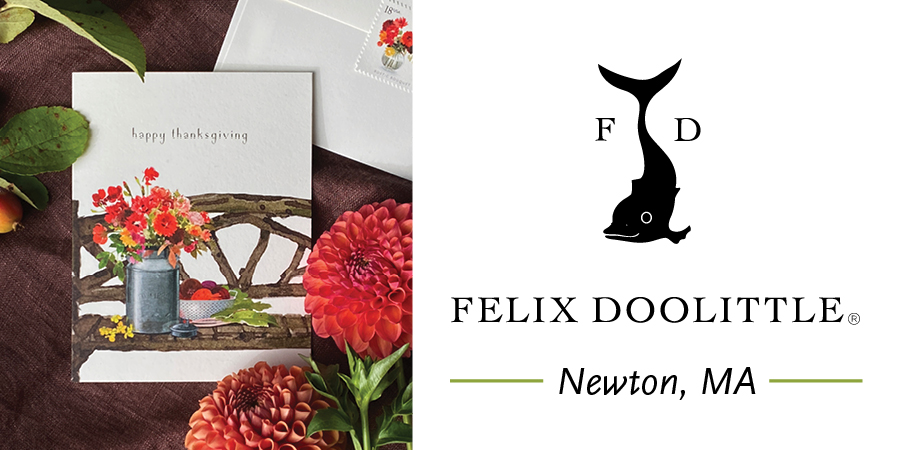
## [Felix Doolittle - Printing Customer of the Month, November](https://www.tpisolutionsink.com/printing-company-blog-waltham-ma-/felix-doolittle-printing-customer-of-the-month-november)
By [Carrie Grove](https://www.tpisolutionsink.com/printing-company-blog-waltham-ma-/author/carrie-grove) | Wed, Nov 29, 2023
Our November printing customer of the month, we are proud to say, is [Felix Doolittle! ](https://www.felixdoolittle.com/)
In early 2013 this extraordinary stationery company was in search of a printer they could partner with. I am happy to say that their search led them to TPI Solutions Ink, a neighbor and specialist in high-quality, short run, digital printing, just a mere two miles away from their studio in Newton.
Our TPI Solutions Ink philosophy, is to develop long-term, trusting relationships with our clientele while offering fair prices and high-quality printed products. Our relationship with [Felix Doolittle](https://www.felixdoolittle.com/), the company, and Loren Sklar and Felix Fu, the owners, embodies this philosophy. We consider Felix and Loren friends as well as partners in this crazy little world of paper goods and print.
When we began working together ten years ago, Felix Doolittle was just getting back into selling their beautiful stationery wholesale. We worked with them those first few years, printing very small quantities of many different card designs while they built up their wholesale clientele. We came up with a wholesale pricing plan that worked for both of our companies, allowing small reorders until FD was able to determine the demand for different card designs. We are always open to working with other small businesses to come up with sensible print solutions and pricing models, that will help them meet their needs and enable them to grow.
Today we print over 500 different greeting card designs for Felix Doolittle, all on Mohawk Superfine Eggshell Cover on our HP Indigo 7900 Digital Press. In addition, some of the other products we print are their bookmark sets with matching die cut sleeves, belly bands and labels for their packaging, pin and sticker backing cards, their annual calendar and more! It's always exciting to see what Felix and Loren will create next. Be sure to visit their online store and grab one of their [2024 desk calendars](https://www.felixdoolittle.com/products/2024-desk-calendar-the-infinite-sky) before they are gone!
[Read More >](https://www.tpisolutionsink.com/printing-company-blog-waltham-ma-/felix-doolittle-printing-customer-of-the-month-november)
[ ](https://www.tpisolutionsink.com/printing-company-blog-waltham-ma-/wellesley-theatre-project-printing-customer-of-the-month-october)
## [Wellesley Theatre Project - Printing Customer of the Month October](https://www.tpisolutionsink.com/printing-company-blog-waltham-ma-/wellesley-theatre-project-printing-customer-of-the-month-october)
By [Carrie Grove](https://www.tpisolutionsink.com/printing-company-blog-waltham-ma-/author/carrie-grove) | Tue, Oct 31, 2023
[Read More >](https://www.tpisolutionsink.com/printing-company-blog-waltham-ma-/wellesley-theatre-project-printing-customer-of-the-month-october)
[NEXT PAGE >](https://www.tpisolutionsink.com/printing-company-blog-waltham-ma-/page/2)
COMMENTS
### SUBSCRIBE VIA EMAIL
### FOLLOW ME
### POPULAR ARTICLES
### RECENT ARTICLES
### POSTS BY TOPIC
- [graphic design (102)](https://www.tpisolutionsink.com/printing-company-blog-waltham-ma-/topic/graphic-design)
- [print (62)](https://www.tpisolutionsink.com/printing-company-blog-waltham-ma-/topic/print)
- [TPI Solutions Ink (42)](https://www.tpisolutionsink.com/printing-company-blog-waltham-ma-/topic/tpi-solutions-ink)
- [digital printing (36)](https://www.tpisolutionsink.com/printing-company-blog-waltham-ma-/topic/digital-printing)
- [printing (34)](https://www.tpisolutionsink.com/printing-company-blog-waltham-ma-/topic/printing)
- [graphic designer (33)](https://www.tpisolutionsink.com/printing-company-blog-waltham-ma-/topic/graphic-designer)
- [typography (30)](https://www.tpisolutionsink.com/printing-company-blog-waltham-ma-/topic/typography)
- [HP Indigo press (28)](https://www.tpisolutionsink.com/printing-company-blog-waltham-ma-/topic/hp-indigo-press)
- [inspiration (27)](https://www.tpisolutionsink.com/printing-company-blog-waltham-ma-/topic/inspiration)
- [holidays (26)](https://www.tpisolutionsink.com/printing-company-blog-waltham-ma-/topic/holidays)
- [printing company blog (22)](https://www.tpisolutionsink.com/printing-company-blog-waltham-ma-/topic/printing-company-blog)
- [color (19)](https://www.tpisolutionsink.com/printing-company-blog-waltham-ma-/topic/color)
- [logo design (19)](https://www.tpisolutionsink.com/printing-company-blog-waltham-ma-/topic/logo-design)
- [Adobe Creative Suite (17)](https://www.tpisolutionsink.com/printing-company-blog-waltham-ma-/topic/adobe-creative-suite)
- [infographic (17)](https://www.tpisolutionsink.com/printing-company-blog-waltham-ma-/topic/infographic)
- [paper (17)](https://www.tpisolutionsink.com/printing-company-blog-waltham-ma-/topic/paper)
- [photography (17)](https://www.tpisolutionsink.com/printing-company-blog-waltham-ma-/topic/photography)
- [printing company (16)](https://www.tpisolutionsink.com/printing-company-blog-waltham-ma-/topic/printing-company)
- [illustration (14)](https://www.tpisolutionsink.com/printing-company-blog-waltham-ma-/topic/illustration)
- [cards (13)](https://www.tpisolutionsink.com/printing-company-blog-waltham-ma-/topic/cards)
- [custom printed (13)](https://www.tpisolutionsink.com/printing-company-blog-waltham-ma-/topic/custom-printed)
- [TPI Solutions (11)](https://www.tpisolutionsink.com/printing-company-blog-waltham-ma-/topic/tpi-solutions)
- [marketing (11)](https://www.tpisolutionsink.com/printing-company-blog-waltham-ma-/topic/marketing)
- [Design (10)](https://www.tpisolutionsink.com/printing-company-blog-waltham-ma-/topic/design)
- [wedding invitations (10)](https://www.tpisolutionsink.com/printing-company-blog-waltham-ma-/topic/wedding-invitations)
- [CMYK (9)](https://www.tpisolutionsink.com/printing-company-blog-waltham-ma-/topic/cmyk)
- [customer of the month (9)](https://www.tpisolutionsink.com/printing-company-blog-waltham-ma-/topic/customer-of-the-month)
- [marketing with print (9)](https://www.tpisolutionsink.com/printing-company-blog-waltham-ma-/topic/marketing-with-print)
- [type (9)](https://www.tpisolutionsink.com/printing-company-blog-waltham-ma-/topic/type)
- [fonts (8)](https://www.tpisolutionsink.com/printing-company-blog-waltham-ma-/topic/fonts)
- [posters (8)](https://www.tpisolutionsink.com/printing-company-blog-waltham-ma-/topic/posters)
- [#TypefaceTuesday (7)](https://www.tpisolutionsink.com/printing-company-blog-waltham-ma-/topic/typefacetuesday)
- [pantone (7)](https://www.tpisolutionsink.com/printing-company-blog-waltham-ma-/topic/pantone)
- [white ink (7)](https://www.tpisolutionsink.com/printing-company-blog-waltham-ma-/topic/white-ink)
- [2023 calendar (6)](https://www.tpisolutionsink.com/printing-company-blog-waltham-ma-/topic/2023-calendar)
- [Christmas (6)](https://www.tpisolutionsink.com/printing-company-blog-waltham-ma-/topic/christmas)
- [PMS (6)](https://www.tpisolutionsink.com/printing-company-blog-waltham-ma-/topic/pms)
- [Typeface Tuesday (6)](https://www.tpisolutionsink.com/printing-company-blog-waltham-ma-/topic/typeface-tuesday)
- [Valentines Day (6)](https://www.tpisolutionsink.com/printing-company-blog-waltham-ma-/topic/valentines-day)
- [multi media (6)](https://www.tpisolutionsink.com/printing-company-blog-waltham-ma-/topic/multi-media)
- [on demand digital (6)](https://www.tpisolutionsink.com/printing-company-blog-waltham-ma-/topic/on-demand-digital)
- [print media (6)](https://www.tpisolutionsink.com/printing-company-blog-waltham-ma-/topic/print-media)
- [tutorial (6)](https://www.tpisolutionsink.com/printing-company-blog-waltham-ma-/topic/tutorial)
- [variable data printing (6)](https://www.tpisolutionsink.com/printing-company-blog-waltham-ma-/topic/variable-data-printing)
- [branding (5)](https://www.tpisolutionsink.com/printing-company-blog-waltham-ma-/topic/branding)
- [christmas cards (5)](https://www.tpisolutionsink.com/printing-company-blog-waltham-ma-/topic/christmas-cards)
- [greeting cards (5)](https://www.tpisolutionsink.com/printing-company-blog-waltham-ma-/topic/greeting-cards)
- [print local (5)](https://www.tpisolutionsink.com/printing-company-blog-waltham-ma-/topic/print-local)
- [quiz (5)](https://www.tpisolutionsink.com/printing-company-blog-waltham-ma-/topic/quiz)
- [request for quote (5)](https://www.tpisolutionsink.com/printing-company-blog-waltham-ma-/topic/request-for-quote)
- [spring (5)](https://www.tpisolutionsink.com/printing-company-blog-waltham-ma-/topic/spring)
- [wedding printing (5)](https://www.tpisolutionsink.com/printing-company-blog-waltham-ma-/topic/wedding-printing)
- [St. Patrick's Day (4)](https://www.tpisolutionsink.com/printing-company-blog-waltham-ma-/topic/st-patrick39s-day)
- [bleeds (4)](https://www.tpisolutionsink.com/printing-company-blog-waltham-ma-/topic/bleeds)
- [commercial printer (4)](https://www.tpisolutionsink.com/printing-company-blog-waltham-ma-/topic/commercial-printer)
- [digital printing services (4)](https://www.tpisolutionsink.com/printing-company-blog-waltham-ma-/topic/digital-printing-services)
- [fun facts (4)](https://www.tpisolutionsink.com/printing-company-blog-waltham-ma-/topic/fun-facts)
- [info graphic (4)](https://www.tpisolutionsink.com/printing-company-blog-waltham-ma-/topic/info-graphic)
- [package design (4)](https://www.tpisolutionsink.com/printing-company-blog-waltham-ma-/topic/package-design)
- [seasons (4)](https://www.tpisolutionsink.com/printing-company-blog-waltham-ma-/topic/seasons)
- [4th of July (3)](https://www.tpisolutionsink.com/printing-company-blog-waltham-ma-/topic/4th-of-july)
- [Boston Marathon (3)](https://www.tpisolutionsink.com/printing-company-blog-waltham-ma-/topic/boston-marathon)
- [QR Codes (3)](https://www.tpisolutionsink.com/printing-company-blog-waltham-ma-/topic/qr-codes)
- [advertising (3)](https://www.tpisolutionsink.com/printing-company-blog-waltham-ma-/topic/advertising)
- [books (3)](https://www.tpisolutionsink.com/printing-company-blog-waltham-ma-/topic/books)
- [environment (3)](https://www.tpisolutionsink.com/printing-company-blog-waltham-ma-/topic/environment)
- [fall (3)](https://www.tpisolutionsink.com/printing-company-blog-waltham-ma-/topic/fall)
- [family owned printing company (3)](https://www.tpisolutionsink.com/printing-company-blog-waltham-ma-/topic/family-owned-printing-company)
- [high quality digital printing (3)](https://www.tpisolutionsink.com/printing-company-blog-waltham-ma-/topic/high-quality-digital-printing)
- [history (3)](https://www.tpisolutionsink.com/printing-company-blog-waltham-ma-/topic/history)
- [invitations (3)](https://www.tpisolutionsink.com/printing-company-blog-waltham-ma-/topic/invitations)
- [large format posters (3)](https://www.tpisolutionsink.com/printing-company-blog-waltham-ma-/topic/large-format-posters)
- [money saving (3)](https://www.tpisolutionsink.com/printing-company-blog-waltham-ma-/topic/money-saving)
- [personalization (3)](https://www.tpisolutionsink.com/printing-company-blog-waltham-ma-/topic/personalization)
- [self publishing (3)](https://www.tpisolutionsink.com/printing-company-blog-waltham-ma-/topic/self-publishing)
- [#throwbackthursday (2)](https://www.tpisolutionsink.com/printing-company-blog-waltham-ma-/topic/throwbackthursday)
- [Awards (2)](https://www.tpisolutionsink.com/printing-company-blog-waltham-ma-/topic/awards)
- [Boston Strong (2)](https://www.tpisolutionsink.com/printing-company-blog-waltham-ma-/topic/boston-strong)
- [Mohawk Panoramic Papers (2)](https://www.tpisolutionsink.com/printing-company-blog-waltham-ma-/topic/mohawk-panoramic-papers)
- [RGB (2)](https://www.tpisolutionsink.com/printing-company-blog-waltham-ma-/topic/rgb)
- [audition headshots (2)](https://www.tpisolutionsink.com/printing-company-blog-waltham-ma-/topic/audition-headshots)
- [calendar (2)](https://www.tpisolutionsink.com/printing-company-blog-waltham-ma-/topic/calendar)
- [custom printing (2)](https://www.tpisolutionsink.com/printing-company-blog-waltham-ma-/topic/custom-printing)
- [day of wedding printing (2)](https://www.tpisolutionsink.com/printing-company-blog-waltham-ma-/topic/day-of-wedding-printing)
- [finishing (2)](https://www.tpisolutionsink.com/printing-company-blog-waltham-ma-/topic/finishing)
- [free guide (2)](https://www.tpisolutionsink.com/printing-company-blog-waltham-ma-/topic/free-guide)
- [graphic design trends (2)](https://www.tpisolutionsink.com/printing-company-blog-waltham-ma-/topic/graphic-design-trends)
- [illustrator (2)](https://www.tpisolutionsink.com/printing-company-blog-waltham-ma-/topic/illustrator)
- [mailing (2)](https://www.tpisolutionsink.com/printing-company-blog-waltham-ma-/topic/mailing)
- [mohawk superfine (2)](https://www.tpisolutionsink.com/printing-company-blog-waltham-ma-/topic/mohawk-superfine)
- [note cards (2)](https://www.tpisolutionsink.com/printing-company-blog-waltham-ma-/topic/note-cards)
- [pdf files (2)](https://www.tpisolutionsink.com/printing-company-blog-waltham-ma-/topic/pdf-files)
- [photoshop (2)](https://www.tpisolutionsink.com/printing-company-blog-waltham-ma-/topic/photoshop)
- [printed stationery (2)](https://www.tpisolutionsink.com/printing-company-blog-waltham-ma-/topic/printed-stationery)
- [printer's wonderland (2)](https://www.tpisolutionsink.com/printing-company-blog-waltham-ma-/topic/printer39s-wonderland)
- [programs (2)](https://www.tpisolutionsink.com/printing-company-blog-waltham-ma-/topic/programs)
- [shark week (2)](https://www.tpisolutionsink.com/printing-company-blog-waltham-ma-/topic/shark-week)
- [shop local (2)](https://www.tpisolutionsink.com/printing-company-blog-waltham-ma-/topic/shop-local)
- [style sheets (2)](https://www.tpisolutionsink.com/printing-company-blog-waltham-ma-/topic/style-sheets)
- [tips (2)](https://www.tpisolutionsink.com/printing-company-blog-waltham-ma-/topic/tips)
- [video (2)](https://www.tpisolutionsink.com/printing-company-blog-waltham-ma-/topic/video)
- [wedding invitation printing (2)](https://www.tpisolutionsink.com/printing-company-blog-waltham-ma-/topic/wedding-invitation-printing)
- [winter (2)](https://www.tpisolutionsink.com/printing-company-blog-waltham-ma-/topic/winter)
- [woman business enterprise (2)](https://www.tpisolutionsink.com/printing-company-blog-waltham-ma-/topic/woman-business-enterprise)
- [2021 calendar (1)](https://www.tpisolutionsink.com/printing-company-blog-waltham-ma-/topic/2021-calendar)
- [Academy Awards (1)](https://www.tpisolutionsink.com/printing-company-blog-waltham-ma-/topic/academy-awards)
- [Bleed (1)](https://www.tpisolutionsink.com/printing-company-blog-waltham-ma-/topic/bleed)
- [Boston (1)](https://www.tpisolutionsink.com/printing-company-blog-waltham-ma-/topic/boston)
- [Boston Red Sox (1)](https://www.tpisolutionsink.com/printing-company-blog-waltham-ma-/topic/boston-red-sox)
- [COVID19 (1)](https://www.tpisolutionsink.com/printing-company-blog-waltham-ma-/topic/covid19)
- [Cinco de Mayo (1)](https://www.tpisolutionsink.com/printing-company-blog-waltham-ma-/topic/cinco-de-mayo)
- [Earth Day, Environment (1)](https://www.tpisolutionsink.com/printing-company-blog-waltham-ma-/topic/earth-day-environment)
- [Father's Day (1)](https://www.tpisolutionsink.com/printing-company-blog-waltham-ma-/topic/fathers-day)
- [Hanukkah (1)](https://www.tpisolutionsink.com/printing-company-blog-waltham-ma-/topic/hanukkah)
- [Image Resolution (1)](https://www.tpisolutionsink.com/printing-company-blog-waltham-ma-/topic/image-resolution)
- [Mother's Day (1)](https://www.tpisolutionsink.com/printing-company-blog-waltham-ma-/topic/mother39s-day)
- [Nift (1)](https://www.tpisolutionsink.com/printing-company-blog-waltham-ma-/topic/nift)
- [Offset Printing (1)](https://www.tpisolutionsink.com/printing-company-blog-waltham-ma-/topic/offset-printing)
- [Opening Day (1)](https://www.tpisolutionsink.com/printing-company-blog-waltham-ma-/topic/opening-day)
- [Oscars (1)](https://www.tpisolutionsink.com/printing-company-blog-waltham-ma-/topic/oscars)
- [Presidents Day (1)](https://www.tpisolutionsink.com/printing-company-blog-waltham-ma-/topic/presidents-day)
- [TPI Headshots (1)](https://www.tpisolutionsink.com/printing-company-blog-waltham-ma-/topic/tpi-headshots)
- [Thanksgiving, (1)](https://www.tpisolutionsink.com/printing-company-blog-waltham-ma-/topic/thanksgiving)
- [The One Fund (1)](https://www.tpisolutionsink.com/printing-company-blog-waltham-ma-/topic/the-one-fund)
- [The Salvation Army (1)](https://www.tpisolutionsink.com/printing-company-blog-waltham-ma-/topic/the-salvation-army)
- [art prints (1)](https://www.tpisolutionsink.com/printing-company-blog-waltham-ma-/topic/art-prints)
- [artwork (1)](https://www.tpisolutionsink.com/printing-company-blog-waltham-ma-/topic/artwork)
- [back to school (1)](https://www.tpisolutionsink.com/printing-company-blog-waltham-ma-/topic/back-to-school)
- [baseball (1)](https://www.tpisolutionsink.com/printing-company-blog-waltham-ma-/topic/baseball)
- [book binding (1)](https://www.tpisolutionsink.com/printing-company-blog-waltham-ma-/topic/book-binding)
- [business cards (1)](https://www.tpisolutionsink.com/printing-company-blog-waltham-ma-/topic/business-cards)
- [canvas prints (1)](https://www.tpisolutionsink.com/printing-company-blog-waltham-ma-/topic/canvas-prints)
- [car magnets (1)](https://www.tpisolutionsink.com/printing-company-blog-waltham-ma-/topic/car-magnets)
- [celebration magnets (1)](https://www.tpisolutionsink.com/printing-company-blog-waltham-ma-/topic/celebration-magnets)
- [chocolate (1)](https://www.tpisolutionsink.com/printing-company-blog-waltham-ma-/topic/chocolate)
- [color palettes (1)](https://www.tpisolutionsink.com/printing-company-blog-waltham-ma-/topic/color-palettes)
- [connect (1)](https://www.tpisolutionsink.com/printing-company-blog-waltham-ma-/topic/connect)
- [custom party decorations (1)](https://www.tpisolutionsink.com/printing-company-blog-waltham-ma-/topic/custom-party-decorations)
- [cut out (1)](https://www.tpisolutionsink.com/printing-company-blog-waltham-ma-/topic/cut-out)
- [direct mail (1)](https://www.tpisolutionsink.com/printing-company-blog-waltham-ma-/topic/direct-mail)
- [download and print (1)](https://www.tpisolutionsink.com/printing-company-blog-waltham-ma-/topic/download-and-print)
- [easter (1)](https://www.tpisolutionsink.com/printing-company-blog-waltham-ma-/topic/easter)
- [envelopes (1)](https://www.tpisolutionsink.com/printing-company-blog-waltham-ma-/topic/envelopes)
- [event signs (1)](https://www.tpisolutionsink.com/printing-company-blog-waltham-ma-/topic/event-signs)
- [family (1)](https://www.tpisolutionsink.com/printing-company-blog-waltham-ma-/topic/family)
- [film (1)](https://www.tpisolutionsink.com/printing-company-blog-waltham-ma-/topic/film)
- [foil stamping (1)](https://www.tpisolutionsink.com/printing-company-blog-waltham-ma-/topic/foil-stamping)
- [food (1)](https://www.tpisolutionsink.com/printing-company-blog-waltham-ma-/topic/food)
- [foodie (1)](https://www.tpisolutionsink.com/printing-company-blog-waltham-ma-/topic/foodie)
- [frosty the pressman (1)](https://www.tpisolutionsink.com/printing-company-blog-waltham-ma-/topic/frosty-the-pressman)
- [groundhog day (1)](https://www.tpisolutionsink.com/printing-company-blog-waltham-ma-/topic/groundhog-day)
- [halloween (1)](https://www.tpisolutionsink.com/printing-company-blog-waltham-ma-/topic/halloween)
- [how to (1)](https://www.tpisolutionsink.com/printing-company-blog-waltham-ma-/topic/how-to)
- [indesign (1)](https://www.tpisolutionsink.com/printing-company-blog-waltham-ma-/topic/indesign)
- [integrity (1)](https://www.tpisolutionsink.com/printing-company-blog-waltham-ma-/topic/integrity)
- [journals (1)](https://www.tpisolutionsink.com/printing-company-blog-waltham-ma-/topic/journals)
- [kickstarter (1)](https://www.tpisolutionsink.com/printing-company-blog-waltham-ma-/topic/kickstarter)
- [local artist (1)](https://www.tpisolutionsink.com/printing-company-blog-waltham-ma-/topic/local-artist)
- [menus (1)](https://www.tpisolutionsink.com/printing-company-blog-waltham-ma-/topic/menus)
- [metallic (1)](https://www.tpisolutionsink.com/printing-company-blog-waltham-ma-/topic/metallic)
- [mom blog (1)](https://www.tpisolutionsink.com/printing-company-blog-waltham-ma-/topic/mom-blog)
- [movie (1)](https://www.tpisolutionsink.com/printing-company-blog-waltham-ma-/topic/movie)
- [new england patriots (1)](https://www.tpisolutionsink.com/printing-company-blog-waltham-ma-/topic/new-england-patriots)
- [nonprofit organization (1)](https://www.tpisolutionsink.com/printing-company-blog-waltham-ma-/topic/nonprofit-organization)
- [notebooks (1)](https://www.tpisolutionsink.com/printing-company-blog-waltham-ma-/topic/notebooks)
- [positive thinking (1)](https://www.tpisolutionsink.com/printing-company-blog-waltham-ma-/topic/positive-thinking)
- [postage (1)](https://www.tpisolutionsink.com/printing-company-blog-waltham-ma-/topic/postage)
- [postcards (1)](https://www.tpisolutionsink.com/printing-company-blog-waltham-ma-/topic/postcards)
- [print packaging (1)](https://www.tpisolutionsink.com/printing-company-blog-waltham-ma-/topic/print-packaging)
- [printable (1)](https://www.tpisolutionsink.com/printing-company-blog-waltham-ma-/topic/printable)
- [printed headshots (1)](https://www.tpisolutionsink.com/printing-company-blog-waltham-ma-/topic/printed-headshots)
- [printing for artists (1)](https://www.tpisolutionsink.com/printing-company-blog-waltham-ma-/topic/printing-for-artists)
- [printing for theater (1)](https://www.tpisolutionsink.com/printing-company-blog-waltham-ma-/topic/printing-for-theater)
- [printing management (1)](https://www.tpisolutionsink.com/printing-company-blog-waltham-ma-/topic/printing-management)
- [printing terms (1)](https://www.tpisolutionsink.com/printing-company-blog-waltham-ma-/topic/printing-terms)
- [quotes (1)](https://www.tpisolutionsink.com/printing-company-blog-waltham-ma-/topic/quotes)
- [resources (1)](https://www.tpisolutionsink.com/printing-company-blog-waltham-ma-/topic/resources)
- [scanning (1)](https://www.tpisolutionsink.com/printing-company-blog-waltham-ma-/topic/scanning)
- [short run (1)](https://www.tpisolutionsink.com/printing-company-blog-waltham-ma-/topic/short-run)
- [small business (1)](https://www.tpisolutionsink.com/printing-company-blog-waltham-ma-/topic/small-business)
- [social distancing (1)](https://www.tpisolutionsink.com/printing-company-blog-waltham-ma-/topic/social-distancing)
- [specialty substrates (1)](https://www.tpisolutionsink.com/printing-company-blog-waltham-ma-/topic/specialty-substrates)
- [stock photos (1)](https://www.tpisolutionsink.com/printing-company-blog-waltham-ma-/topic/stock-photos)
- [stop motion animation (1)](https://www.tpisolutionsink.com/printing-company-blog-waltham-ma-/topic/stop-motion-animation)
- [street art (1)](https://www.tpisolutionsink.com/printing-company-blog-waltham-ma-/topic/street-art)
- [summer (1)](https://www.tpisolutionsink.com/printing-company-blog-waltham-ma-/topic/summer)
- [summer theater programs (1)](https://www.tpisolutionsink.com/printing-company-blog-waltham-ma-/topic/summer-theater-programs)
- [super bowl (1)](https://www.tpisolutionsink.com/printing-company-blog-waltham-ma-/topic/super-bowl)
- [vintage, (1)](https://www.tpisolutionsink.com/printing-company-blog-waltham-ma-/topic/vintage)
- [watercolor artwork (1)](https://www.tpisolutionsink.com/printing-company-blog-waltham-ma-/topic/watercolor-artwork)
- [winter wonderland (1)](https://www.tpisolutionsink.com/printing-company-blog-waltham-ma-/topic/winter-wonderland)
[see all](https://www.tpisolutionsink.com/printing-company-blog-waltham-ma-#)
### POSTS BY MONTH
- [December 2023 (1)](https://www.tpisolutionsink.com/printing-company-blog-waltham-ma-/archive/2023/12)
- [November 2023 (1)](https://www.tpisolutionsink.com/printing-company-blog-waltham-ma-/archive/2023/11)
- [October 2023 (1)](https://www.tpisolutionsink.com/printing-company-blog-waltham-ma-/archive/2023/10)
- [August 2023 (1)](https://www.tpisolutionsink.com/printing-company-blog-waltham-ma-/archive/2023/08)
- [July 2023 (1)](https://www.tpisolutionsink.com/printing-company-blog-waltham-ma-/archive/2023/07)
- [June 2023 (1)](https://www.tpisolutionsink.com/printing-company-blog-waltham-ma-/archive/2023/06)
- [May 2023 (1)](https://www.tpisolutionsink.com/printing-company-blog-waltham-ma-/archive/2023/05)
- [April 2023 (1)](https://www.tpisolutionsink.com/printing-company-blog-waltham-ma-/archive/2023/04)
- [March 2023 (1)](https://www.tpisolutionsink.com/printing-company-blog-waltham-ma-/archive/2023/03)
- [February 2023 (1)](https://www.tpisolutionsink.com/printing-company-blog-waltham-ma-/archive/2023/02)
- [January 2023 (1)](https://www.tpisolutionsink.com/printing-company-blog-waltham-ma-/archive/2023/01)
- [January 2021 (1)](https://www.tpisolutionsink.com/printing-company-blog-waltham-ma-/archive/2021/01)
- [July 2020 (1)](https://www.tpisolutionsink.com/printing-company-blog-waltham-ma-/archive/2020/07)
- [April 2020 (1)](https://www.tpisolutionsink.com/printing-company-blog-waltham-ma-/archive/2020/04)
- [March 2020 (1)](https://www.tpisolutionsink.com/printing-company-blog-waltham-ma-/archive/2020/03)
- [February 2020 (1)](https://www.tpisolutionsink.com/printing-company-blog-waltham-ma-/archive/2020/02)
- [May 2019 (1)](https://www.tpisolutionsink.com/printing-company-blog-waltham-ma-/archive/2019/05)
- [April 2019 (1)](https://www.tpisolutionsink.com/printing-company-blog-waltham-ma-/archive/2019/04)
- [July 2018 (1)](https://www.tpisolutionsink.com/printing-company-blog-waltham-ma-/archive/2018/07)
- [March 2018 (1)](https://www.tpisolutionsink.com/printing-company-blog-waltham-ma-/archive/2018/03)
- [February 2018 (1)](https://www.tpisolutionsink.com/printing-company-blog-waltham-ma-/archive/2018/02)
- [January 2018 (1)](https://www.tpisolutionsink.com/printing-company-blog-waltham-ma-/archive/2018/01)
- [December 2017 (2)](https://www.tpisolutionsink.com/printing-company-blog-waltham-ma-/archive/2017/12)
- [November 2017 (1)](https://www.tpisolutionsink.com/printing-company-blog-waltham-ma-/archive/2017/11)
- [October 2017 (1)](https://www.tpisolutionsink.com/printing-company-blog-waltham-ma-/archive/2017/10)
- [September 2017 (1)](https://www.tpisolutionsink.com/printing-company-blog-waltham-ma-/archive/2017/09)
- [August 2017 (1)](https://www.tpisolutionsink.com/printing-company-blog-waltham-ma-/archive/2017/08)
- [July 2017 (1)](https://www.tpisolutionsink.com/printing-company-blog-waltham-ma-/archive/2017/07)
- [June 2017 (2)](https://www.tpisolutionsink.com/printing-company-blog-waltham-ma-/archive/2017/06)
- [March 2017 (2)](https://www.tpisolutionsink.com/printing-company-blog-waltham-ma-/archive/2017/03)
- [February 2017 (2)](https://www.tpisolutionsink.com/printing-company-blog-waltham-ma-/archive/2017/02)
- [January 2017 (1)](https://www.tpisolutionsink.com/printing-company-blog-waltham-ma-/archive/2017/01)
- [December 2016 (1)](https://www.tpisolutionsink.com/printing-company-blog-waltham-ma-/archive/2016/12)
- [October 2016 (2)](https://www.tpisolutionsink.com/printing-company-blog-waltham-ma-/archive/2016/10)
- [September 2016 (1)](https://www.tpisolutionsink.com/printing-company-blog-waltham-ma-/archive/2016/09)
- [August 2016 (1)](https://www.tpisolutionsink.com/printing-company-blog-waltham-ma-/archive/2016/08)
- [July 2016 (2)](https://www.tpisolutionsink.com/printing-company-blog-waltham-ma-/archive/2016/07)
- [June 2016 (2)](https://www.tpisolutionsink.com/printing-company-blog-waltham-ma-/archive/2016/06)
- [May 2016 (1)](https://www.tpisolutionsink.com/printing-company-blog-waltham-ma-/archive/2016/05)
- [April 2016 (4)](https://www.tpisolutionsink.com/printing-company-blog-waltham-ma-/archive/2016/04)
- [March 2016 (1)](https://www.tpisolutionsink.com/printing-company-blog-waltham-ma-/archive/2016/03)
- [January 2016 (2)](https://www.tpisolutionsink.com/printing-company-blog-waltham-ma-/archive/2016/01)
- [December 2015 (3)](https://www.tpisolutionsink.com/printing-company-blog-waltham-ma-/archive/2015/12)
- [November 2015 (1)](https://www.tpisolutionsink.com/printing-company-blog-waltham-ma-/archive/2015/11)
- [September 2015 (2)](https://www.tpisolutionsink.com/printing-company-blog-waltham-ma-/archive/2015/09)
- [August 2015 (2)](https://www.tpisolutionsink.com/printing-company-blog-waltham-ma-/archive/2015/08)
- [July 2015 (1)](https://www.tpisolutionsink.com/printing-company-blog-waltham-ma-/archive/2015/07)
- [June 2015 (1)](https://www.tpisolutionsink.com/printing-company-blog-waltham-ma-/archive/2015/06)
- [May 2015 (1)](https://www.tpisolutionsink.com/printing-company-blog-waltham-ma-/archive/2015/05)
- [April 2015 (1)](https://www.tpisolutionsink.com/printing-company-blog-waltham-ma-/archive/2015/04)
- [March 2015 (2)](https://www.tpisolutionsink.com/printing-company-blog-waltham-ma-/archive/2015/03)
- [February 2015 (2)](https://www.tpisolutionsink.com/printing-company-blog-waltham-ma-/archive/2015/02)
- [January 2015 (1)](https://www.tpisolutionsink.com/printing-company-blog-waltham-ma-/archive/2015/01)
- [December 2014 (1)](https://www.tpisolutionsink.com/printing-company-blog-waltham-ma-/archive/2014/12)
- [November 2014 (1)](https://www.tpisolutionsink.com/printing-company-blog-waltham-ma-/archive/2014/11)
- [September 2014 (2)](https://www.tpisolutionsink.com/printing-company-blog-waltham-ma-/archive/2014/09)
- [August 2014 (1)](https://www.tpisolutionsink.com/printing-company-blog-waltham-ma-/archive/2014/08)
- [July 2014 (2)](https://www.tpisolutionsink.com/printing-company-blog-waltham-ma-/archive/2014/07)
- [June 2014 (2)](https://www.tpisolutionsink.com/printing-company-blog-waltham-ma-/archive/2014/06)
- [May 2014 (1)](https://www.tpisolutionsink.com/printing-company-blog-waltham-ma-/archive/2014/05)
- [April 2014 (3)](https://www.tpisolutionsink.com/printing-company-blog-waltham-ma-/archive/2014/04)
- [March 2014 (3)](https://www.tpisolutionsink.com/printing-company-blog-waltham-ma-/archive/2014/03)
- [February 2014 (1)](https://www.tpisolutionsink.com/printing-company-blog-waltham-ma-/archive/2014/02)
- [December 2013 (2)](https://www.tpisolutionsink.com/printing-company-blog-waltham-ma-/archive/2013/12)
- [October 2013 (1)](https://www.tpisolutionsink.com/printing-company-blog-waltham-ma-/archive/2013/10)
- [September 2013 (2)](https://www.tpisolutionsink.com/printing-company-blog-waltham-ma-/archive/2013/09)
- [August 2013 (1)](https://www.tpisolutionsink.com/printing-company-blog-waltham-ma-/archive/2013/08)
- [July 2013 (2)](https://www.tpisolutionsink.com/printing-company-blog-waltham-ma-/archive/2013/07)
- [June 2013 (1)](https://www.tpisolutionsink.com/printing-company-blog-waltham-ma-/archive/2013/06)
- [May 2013 (1)](https://www.tpisolutionsink.com/printing-company-blog-waltham-ma-/archive/2013/05)
- [April 2013 (2)](https://www.tpisolutionsink.com/printing-company-blog-waltham-ma-/archive/2013/04)
- [March 2013 (2)](https://www.tpisolutionsink.com/printing-company-blog-waltham-ma-/archive/2013/03)
- [February 2013 (3)](https://www.tpisolutionsink.com/printing-company-blog-waltham-ma-/archive/2013/02)
- [January 2013 (3)](https://www.tpisolutionsink.com/printing-company-blog-waltham-ma-/archive/2013/01)
- [December 2012 (3)](https://www.tpisolutionsink.com/printing-company-blog-waltham-ma-/archive/2012/12)
- [November 2012 (1)](https://www.tpisolutionsink.com/printing-company-blog-waltham-ma-/archive/2012/11)
- [October 2012 (3)](https://www.tpisolutionsink.com/printing-company-blog-waltham-ma-/archive/2012/10)
- [September 2012 (2)](https://www.tpisolutionsink.com/printing-company-blog-waltham-ma-/archive/2012/09)
- [August 2012 (1)](https://www.tpisolutionsink.com/printing-company-blog-waltham-ma-/archive/2012/08)
- [July 2012 (1)](https://www.tpisolutionsink.com/printing-company-blog-waltham-ma-/archive/2012/07)
- [June 2012 (3)](https://www.tpisolutionsink.com/printing-company-blog-waltham-ma-/archive/2012/06)
- [May 2012 (1)](https://www.tpisolutionsink.com/printing-company-blog-waltham-ma-/archive/2012/05)
- [April 2012 (2)](https://www.tpisolutionsink.com/printing-company-blog-waltham-ma-/archive/2012/04)
- [March 2012 (4)](https://www.tpisolutionsink.com/printing-company-blog-waltham-ma-/archive/2012/03)
- [February 2012 (2)](https://www.tpisolutionsink.com/printing-company-blog-waltham-ma-/archive/2012/02)
- [January 2012 (3)](https://www.tpisolutionsink.com/printing-company-blog-waltham-ma-/archive/2012/01)
- [December 2011 (3)](https://www.tpisolutionsink.com/printing-company-blog-waltham-ma-/archive/2011/12)
- [November 2011 (2)](https://www.tpisolutionsink.com/printing-company-blog-waltham-ma-/archive/2011/11)
- [October 2011 (3)](https://www.tpisolutionsink.com/printing-company-blog-waltham-ma-/archive/2011/10)
- [September 2011 (2)](https://www.tpisolutionsink.com/printing-company-blog-waltham-ma-/archive/2011/09)
- [August 2011 (1)](https://www.tpisolutionsink.com/printing-company-blog-waltham-ma-/archive/2011/08)
- [July 2011 (1)](https://www.tpisolutionsink.com/printing-company-blog-waltham-ma-/archive/2011/07)
- [June 2011 (3)](https://www.tpisolutionsink.com/printing-company-blog-waltham-ma-/archive/2011/06)
- [May 2011 (1)](https://www.tpisolutionsink.com/printing-company-blog-waltham-ma-/archive/2011/05)
- [April 2011 (2)](https://www.tpisolutionsink.com/printing-company-blog-waltham-ma-/archive/2011/04)
- [March 2011 (1)](https://www.tpisolutionsink.com/printing-company-blog-waltham-ma-/archive/2011/03)
- [February 2011 (2)](https://www.tpisolutionsink.com/printing-company-blog-waltham-ma-/archive/2011/02)
- [January 2011 (3)](https://www.tpisolutionsink.com/printing-company-blog-waltham-ma-/archive/2011/01)
- [December 2010 (2)](https://www.tpisolutionsink.com/printing-company-blog-waltham-ma-/archive/2010/12)
- [November 2010 (2)](https://www.tpisolutionsink.com/printing-company-blog-waltham-ma-/archive/2010/11)
- [September 2010 (2)](https://www.tpisolutionsink.com/printing-company-blog-waltham-ma-/archive/2010/09)
- [August 2010 (1)](https://www.tpisolutionsink.com/printing-company-blog-waltham-ma-/archive/2010/08)
- [July 2010 (3)](https://www.tpisolutionsink.com/printing-company-blog-waltham-ma-/archive/2010/07)
- [June 2010 (5)](https://www.tpisolutionsink.com/printing-company-blog-waltham-ma-/archive/2010/06)
[see all](https://www.tpisolutionsink.com/printing-company-blog-waltham-ma-#)
**TPI Solutions Ink** | 45 Calvary Street, Waltham, MA 02453 | 781-899-0263 | [info@tpisolutionsink.com](mailto:info@tpisolutionsink.com)
© 2018 TPI Solutions Ink | Printing & Graphic Design Services | Privacy Policy